If your child logs into a school app to do homework, submit assignments or message their teacher – and in 2026, almost every school-age kid does – you’re going to want to read this today.
Australian schools have been swept up in Canvas Data Breach – the largest education cyber attack ever recorded. The platform at the centre of it is Canvas, the learning management system used by state schools across Queensland, New South Wales, Western Australia, Victoria and Tasmania – plus dozens of universities. This week, a criminal hacking group got in, took data, and is holding it for ransom.
Here’s what happened, what information may have been exposed, and what you can do right now.
What actually happened?
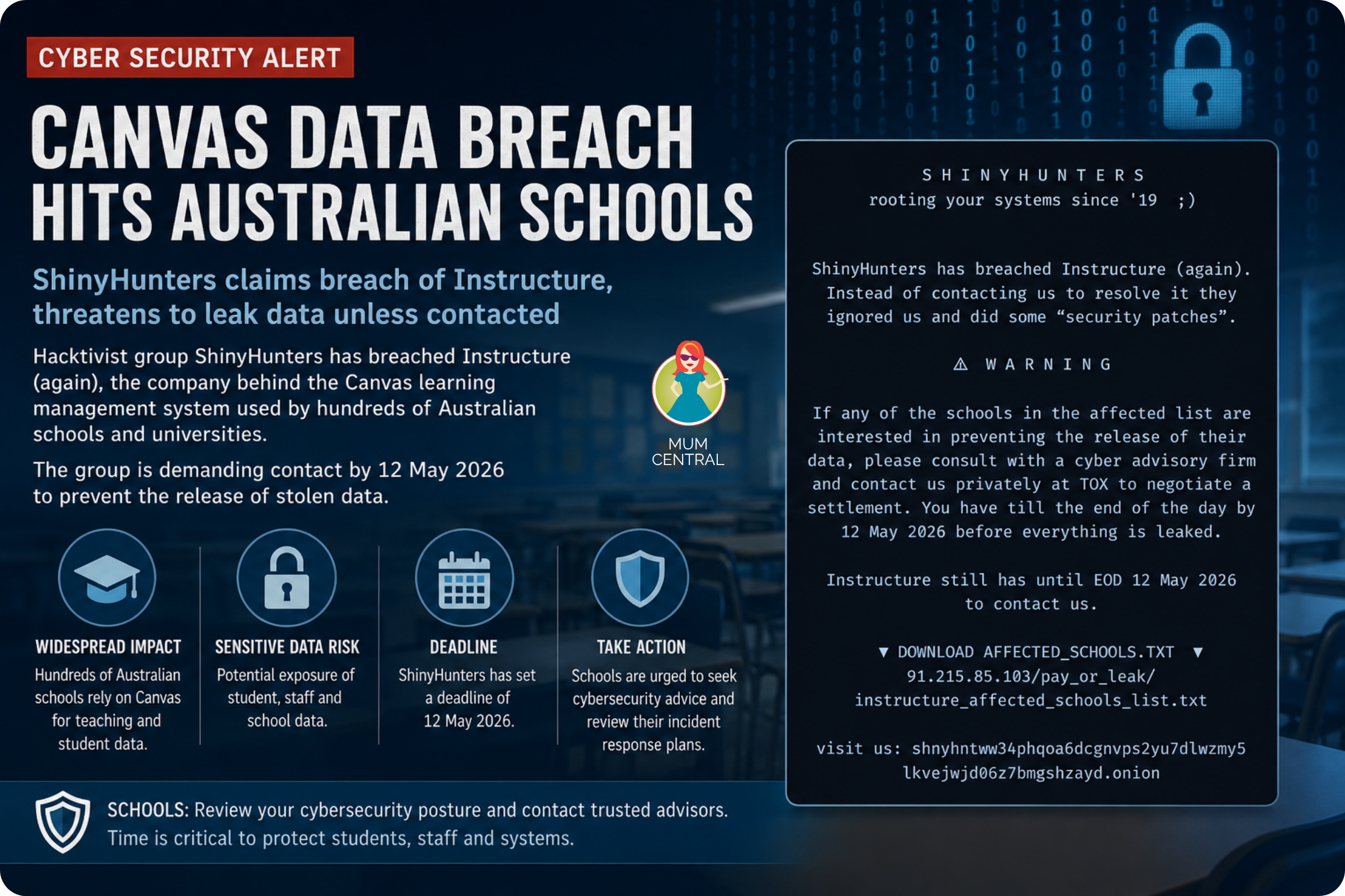
On 7 May 2026, ShinyHunters (one of the world’s most notorious hacker groups, behind previous attacks on Ticketmaster and Microsoft) targeted Instructure, the company that runs Canvas. They broke in, stole data from millions of users, then replaced Canvas’s own login page with a ransom message demanding payment by midnight tomorrow night, 12 May. If Instructure doesn’t pay, they’ve threatened to release everything.
Around 8.900 educational institutions worldwide were caught up in it (involving roughly 275 million students, teachers and staff).
275 MILLION USERS. Let that sink in for a second.
Of that, over 177 Australian schools, universities, and organisations have been identified as targets. Initial reports indicate massive disruption at institutions including the University of Melbourne, University of Sydney, RMIT, Swinburne University, University of Technology Sydney (UTS), and TasTAFE.
It’s officially the biggest education data breach ever recorded. And Australia is right in the middle of it.
Which Australian schools and universities are affected?
Pretty much every state education department in the country uses Canvas in some form. Queensland’s Education Minister John-Paul Langbroek confirmed the state’s QLearn platform was affected. The advice from Queensland is that any student or staff member at a public school since 2020 may have had their data exposed.
New South Wales, Western Australia and Victoria all use Canvas for teaching and professional development. TasTAFE in Tasmania is caught up in it too. On the university side, students at the University of Sydney, University of Melbourne and Universities across Adelaide were all affected. Melbourne students couldn’t even submit assignments during the outage.
If your child attends an Australian state school or is at university, there is a very real chance they’re on the list.
What information was actually taken?
Here’s the part worth reading carefully. Instructure says passwords, dates of birth, government identifiers and financial information were NOT part of this breach. That’s genuinely good news.
What WAS exposed includes:
- Names
- Email addresses
- Student identification numbers
- Private messages exchanged between users on the platform
That last one is worth noting. Private messages between students, teachers and parents, things people typed assuming they were in a secure system, may now be in the hands of a criminal hacking group. There’s probably nothing scandalous in most of them. But knowing they’re out there is its own kind of unsettling.
What do you actually need to do right now?
This checklist takes about 10 minutes. Don’t skip it.
- Find out if your school uses Canvas or QLearn: Not every school uses Canvas under that name. In Queensland, it’s called QLearn. Check your school’s app, parent portal or website, or drop a quick email to the front office if you’re not sure.
- Talk to your kids about suspicious emails – today: With names and email addresses potentially exposed, phishing emails are coming. They’ll look convincing, like they’re from school, the education department or Canvas itself. The rule is simple: if an email asks your child to click a link or log in anywhere, they come to you first. No exceptions.
- Change any reused passwords now: If your child, or you, used the same password for Canvas as for anything else (personal email, gaming accounts, social media), change those passwords today. A password manager like LastPass makes this much less painful and is worth the small monthly cost.
- Watch for (and actually read) communications from your school: Schools across the country are working through this in real time. If you haven’t heard from your school by the end of the week, don’t wait – check the school website or ring the front office directly.
- Report anything suspicious to the ACSC: If you receive a dodgy email linked to this breach, or notice anything unusual on your child’s accounts, report it to the Australian Cyber Security Centre at cyber.gov.au/report-and-recover/report.
What’s being done about it?
Instructure has confirmed the breach and is working with cybersecurity experts. Australian universities have been issuing reassurance statements to affected students, and state education departments are working through their incident response procedures.
Whether the ransom gets paid isn’t public information at the time of writing. What’s certain is that once data leaves a company’s systems, paying doesn’t guarantee it disappears. The steps above are worth taking regardless.
We’ll update this article as more information comes to hand.
The bigger picture
This hack is a sharp reminder of how much of our kids’ school lives now sit inside large tech platforms – and how exposed those platforms can be when someone decides to target them. It doesn’t mean online learning is going away. But it does mean the cyber safety conversation has moved from “something we should probably have one day” to something worth doing this week.
A 10-minute chat now could save a lot of stress later.
Stay calm, run through that checklist, and if you’re worried – call the school. That’s exactly what they’re there for.
You might also like:
- Major Cyber Attack Targets 5 Well-Known Aussie Superannuation Funds
- Coles Woolworths Class Action: How Shoppers Could Claim up to $5,000 Over Price Deception
- WARNING: Here’s How Your Data From These Car Brands Is Being Shared Behind Your Back!